


How to Create an SEO-Friendly URL Structure (2026 Guide)
By Josh Ternyak

April 18, 2026
SEO-friendly URL structure requires short, lowercase, hyphen-separated, keyword-including slugs in a logical hierarchy. This comprehensive guide covers core URL principles, structure by site type (blog, e-commerce, services), subfolder vs subdomain SEO impact, handling URL changes with 301 redirects, canonical tags, platform-specific setup, international URL structure, parameter handling, and how to audit existing URL problems.
How to Create an SEO-Friendly URL Structure
URL structure is one of the most consequential technical SEO decisions a website can make — and one of the most expensive to change after the fact. Every URL that gets indexed, earns backlinks, and accumulates ranking history becomes a digital asset. Changing established URLs requires 301 redirects that preserve most but not all ranking signals, and the process of migrating URL structures on live sites is error-prone and never as clean as getting it right from the beginning.
The good news: URL structure best practices are simple, consistent, and well-established. This guide covers every principle you need to create URLs that help search engines understand your content, help users understand where they are on your site, and don't create the technical problems that hurt rankings.
Key URL Structure Principles
Core URL Best Practices
RuleCorrectIncorrectWhyUse hyphens, not underscores/seo-friendly-urls/seo_friendly_urlsGoogle treats hyphens as word separators; underscores join wordsLowercase only/website-speed-tips/Website-Speed-TipsCapital letters create duplicate URL issues on case-sensitive serversInclude primary keyword/how-to-speed-up-website/blog/post-1234Keyword in URL is a direct ranking signalKeep it short/seo-url-guide/complete-guide-to-creating-seo-friendly-url-structures-for-websites-2026Shorter URLs rank better and are easier to shareNo parameters for important pages/products/running-shoes//products?cat=shoes&type=running&id=45Parameters create duplicate content; harder to rankHTTPS everywherehttps://example.com/pagehttp://example.com/pageRanking signal; required for modern trustConsistent trailing slashAlways /page/ OR always /pageMixing /page and /page/Inconsistency creates duplicate contentNo dates for evergreen content/website-speed-tips/2021/01/website-speed-tipsDate makes evergreen content appear outdated
URL Structure by Site Type
Blogs and Content Sites
StructureExampleBest ForRecommendationSimple slugdomain.com/keyword-slug/Most blogs — cleanest, no date decayBest choice for most content sitesCategory + slugdomain.com/seo/keyword-slug/Large multi-topic sites needing taxonomyGood when categories are stableDate + slugdomain.com/2024/01/slug/News sites where publication date mattersAvoid for evergreen contentDefault WordPress (?p=123)domain.com/?p=1234Nobody — this is the WordPress default to change immediatelyNever — change permalink structure immediately
E-Commerce Sites
Page TypeRecommended URL PatternExampleCategory/category-name//running-shoes/Subcategory/category/subcategory//running-shoes/trail-running/Product/products/product-name/ or /category/product-name//running-shoes/brooks-ghost-15/Filter/sort URLsCanonical to clean category URL/running-shoes/?color=red → canonical: /running-shoes/Search resultsBlock in robots.txt or noindex — don't let search URLs index/search?q=shoes → noindex
Service Businesses
Page TypeURL PatternExampleService overview/services/example.com/services/Individual service/services/service-name/example.com/services/web-design/Location page/city-state/ or /service-city/example.com/web-design-miami/Blog post/blog/keyword-slug/example.com/blog/website-speed-tips/
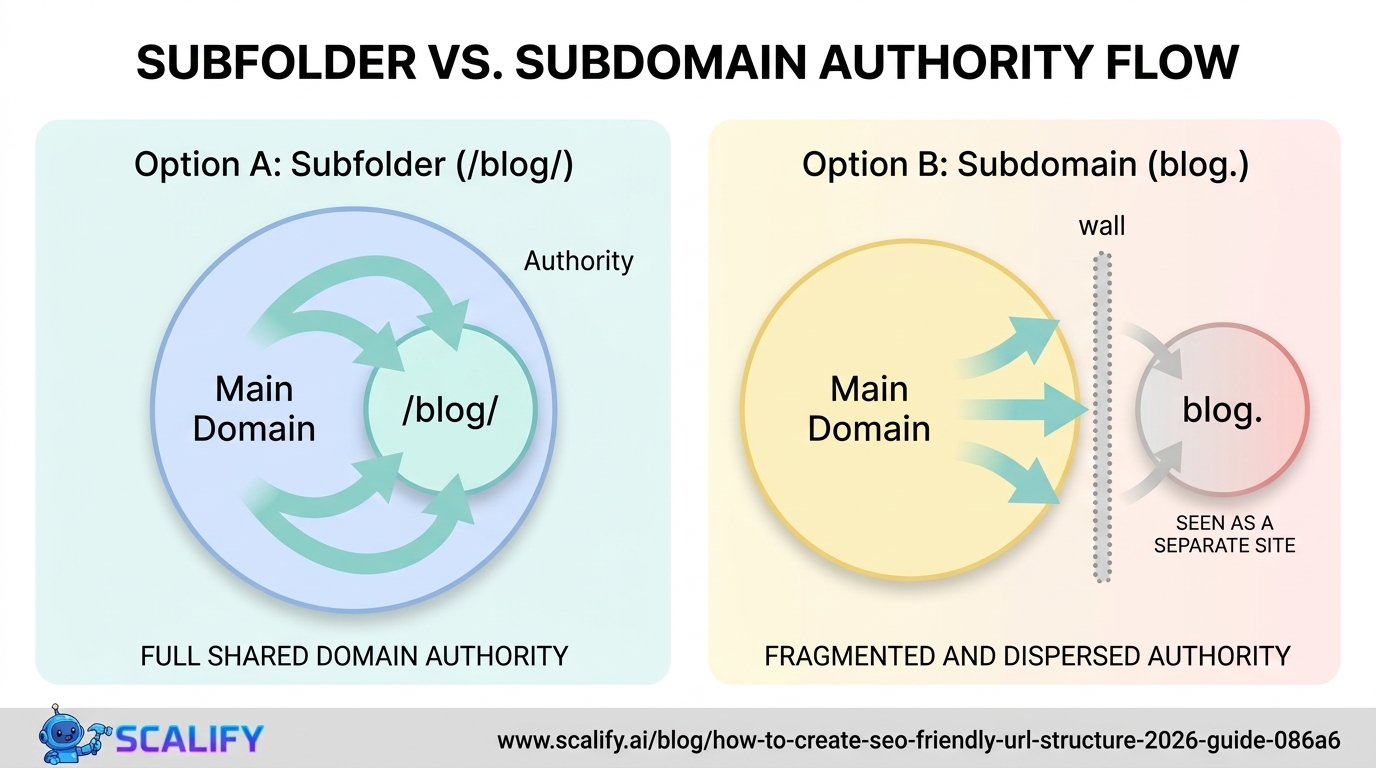
Subfolder vs. Subdomain: The SEO Impact
One of the most consequential URL architecture decisions is whether to put a blog, store, or help center at domain.com/blog/ (subfolder) or blog.domain.com (subdomain). For SEO, the answer is almost always subfolders: subdirectory content inherits the root domain's authority and backlinks, while subdomains are largely treated as separate websites by Google, starting with near-zero domain authority regardless of how strong the main domain is.
Practical consequence: a business that builds its blog at blog.domain.com instead of domain.com/blog/ is doing its content marketing SEO on a fresh domain with no authority — and every blog post has to earn rankings entirely on its own merit rather than benefiting from the trust signals the main domain has accumulated. Moving from subdomain to subdirectory can produce significant ranking improvements even without any content changes, simply by concentrating authority.
Handling URL Changes Without Losing Rankings
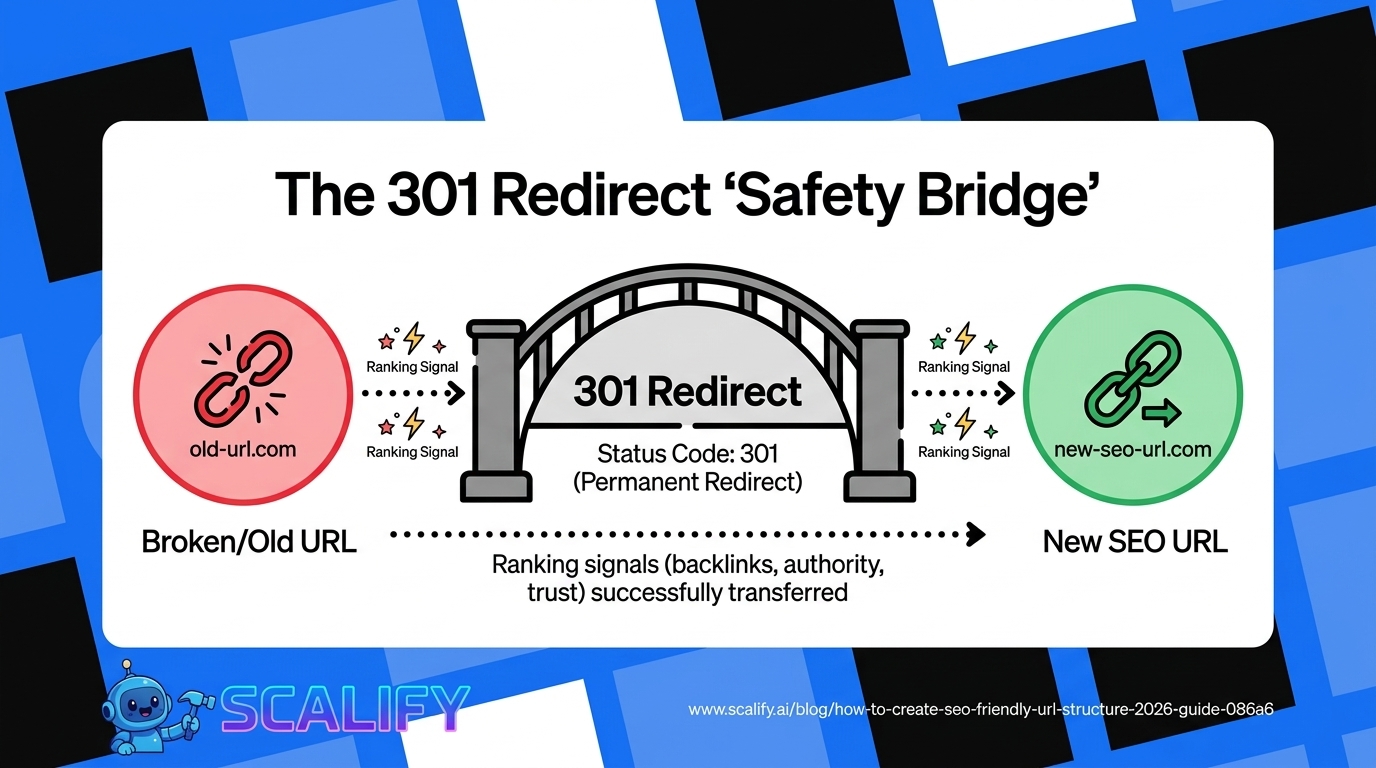
ScenarioRequired ActionWhat Happens Without ItMoving to a new URL301 permanent redirect from old → new404 errors; lost backlinks; ranking dropsMerging two pages301 redirect weaker page to strongerDuplicate content; diluted authorityDeleting a page permanently410 Gone or 301 to most relevant page404 errors; wasted crawl budgetHTTP → HTTPS migration301 all HTTP URLs to HTTPSDuplicate content; mixed security signalswww vs. non-www inconsistencyChoose one; 301 redirect the otherDuplicate content splitting signalsRestructuring site architecture301 redirect all old URLs to new locationsSite-wide 404 errors; major traffic loss
Canonical Tags: Preventing Duplicate URL Problems
Even with perfectly structured URLs, most websites generate multiple URL variants pointing to the same or similar content — filter and sort parameter URLs, pagination pages, tag archives, and print-friendly versions all create duplicate content that splits ranking signals. The canonical tag (rel="canonical") tells Google which URL is the "official" version, consolidating all ranking signals to one URL regardless of how many other URLs serve similar content.
The most important canonical implementations: all filter and sort parameter URLs on e-commerce category pages should canonical to the clean category URL; paginated pages can canonical to themselves or to page 1 depending on strategy; HTTP and HTTPS versions, www and non-www versions, and trailing slash vs. no trailing slash versions should all canonical to the single preferred format; and duplicate product pages (same product accessible through multiple category paths) should canonical to the primary URL.
Platform-Specific URL Setup
PlatformWhere to ConfigureBest SettingWordPressSettings → Permalinks"Post name" (/post-slug/) — change immediately from defaultWebflowCollection Settings → Slug fieldAuto-generates from title; customize each item's slugShopifyProducts and collections have auto-generated handles/products/product-handle — generally good defaultSquarespacePages → Page Settings → URL SlugEdit each page slug to be keyword-focused
Common URL Mistakes to Fix Today
Session IDs in URLs (/page?sessionid=abc123) create infinite URL variations, completely waste crawl budget, and create massive duplicate content. Fix immediately by using cookies for session management instead of URL parameters.
Capital letters in URLs — /My-Page and /my-page can serve as separate URLs on case-sensitive servers, creating duplicate content. Always use lowercase slugs and redirect any capital-letter variants.
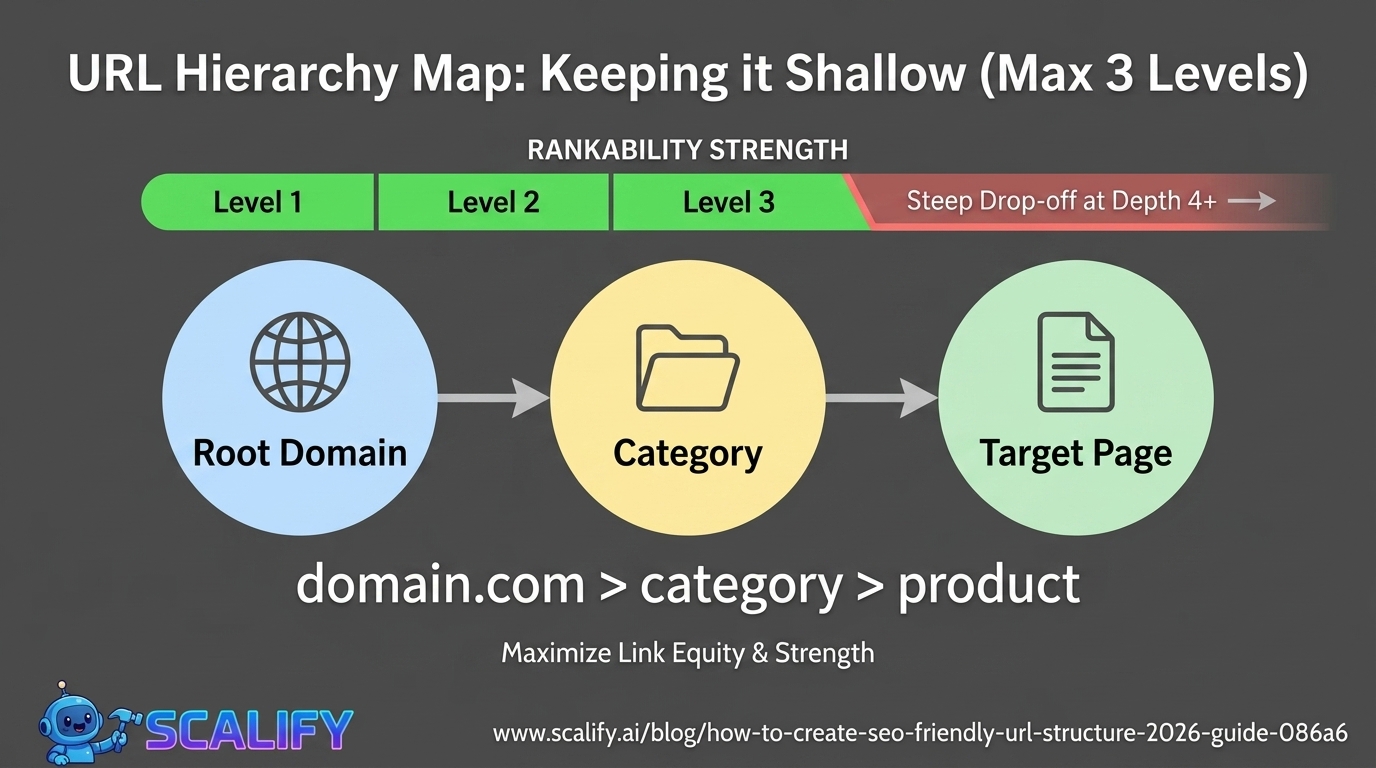
Overly deep hierarchies (5+ directory levels) signal poor information architecture. Flatten to 3 levels maximum for important content — deeper pages are harder to discover and carry less link equity.
Underscores instead of hyphens — still surprisingly common, especially in older WordPress sites. Audit and redirect if found.
The Bottom Line
SEO-friendly URL structure is a foundational technical investment that should be established correctly before any significant content is published — changing URLs after the fact is expensive in ranking equity and never perfectly clean. The principles are simple: short, lowercase, hyphen-separated, keyword-including slugs organized in a logical flat hierarchy without parameters or dynamic strings. Subfolder structure over subdomains, HTTPS throughout, canonical tags on duplicate content, and 301 redirects for any URL changes are the complete technical URL foundation. Get it right once, and URL structure becomes a silent but compounding SEO advantage for every piece of content you publish.
At Scalify, every website we build is configured with proper URL structure from day one — clean slugs, correct permalink settings, canonical tags, and the technical foundations that make every page as rankable as possible.
Top 5 Sources
URL Structure and International SEO
For websites serving multiple languages or countries, URL structure intersects with hreflang implementation and international SEO strategy. The recommended approach for most international sites is subdirectory-based localization: domain.com/en/ for English, domain.com/fr/ for French, domain.com/es/ for Spanish. This concentrates all international content under a single root domain, benefiting from accumulated domain authority, while providing clear geographic and language signals through the URL path.
The alternative approaches — country code subdomains (fr.domain.com) or separate domains (domain.fr) — both have valid use cases but require more SEO work to maintain: subdomains essentially start as new domains in Google's view, and separate country-code domains require building authority for each domain independently. Unless there's a specific business reason to use these approaches (strong local brand preference for national domains, separate teams managing separate sites), subfolder localization is the most SEO-efficient international URL structure.
The hreflang implementation that connects international URL variants — telling Google that domain.com/en/page and domain.com/fr/page are the same content in different languages — is essential for preventing international duplicate content issues. Hreflang tags in the HTML head of every page (pointing to all language variants including the page itself) ensure Google serves the right language version to the right searcher, completing the international SEO structure that URL organization establishes.
URL Parameters: How to Handle Filter and Sort URLs
E-commerce sites and content sites with filtering functionality face a specific URL problem: every combination of filters creates a unique URL that may serve near-duplicate content. A category page for running shoes with 8 color filters, 4 size range filters, and 3 sort options generates potentially 96+ URL combinations from one underlying page — all serving content that is largely similar to the main category URL.
The standard solution is canonical tags: every filtered URL includes a canonical tag pointing to the clean, unfiltered category URL. This consolidates all ranking signals to the canonical URL while still allowing filtered pages to be accessible to users. The filtered URLs themselves should typically be blocked from indexing via noindex meta tags or disallowed in robots.txt (with canonical tags as the primary signal for any that do get indexed).
The exception is when filtered URLs target genuinely high-volume search queries — "red running shoes for women" might warrant a dedicated, canonicalized URL that targets this specific query rather than relying on the parent category to rank for it. Identifying these high-intent filter combinations through keyword research and creating properly structured pages for them (with unique content elements, not just filtered product grids) represents an advanced e-commerce SEO opportunity that most sites don't exploit.
URL Audit: How to Find and Fix Problems
For websites already in production, a URL structure audit reveals problems that may be silently costing rankings. Screaming Frog (free for up to 500 URLs) crawls the entire site and identifies: URLs with uppercase letters, URLs with parameters that should be cleaned up, redirect chains where A→B→C rather than A→C directly, pages without canonical tags that should have them, and orphaned pages (pages with no internal links pointing to them that are effectively invisible to search engines). Running this audit and fixing the identified issues often produces ranking improvements without any content changes — simply by fixing the technical signals that were confusing Google's understanding of the site structure.
URL Length, Keyword Placement, and Click-Through Rate
Beyond ranking impact, URL structure affects organic click-through rate (CTR) in Google's search results. Users scanning search results form quick impressions of relevance from multiple signals including the URL — a URL that clearly communicates relevance to their query increases the likelihood they'll click even before reading the title and meta description. A URL like /web-developer-salary-miami/ clearly signals relevance to someone searching "web developer salary Miami" in a way that /page?id=4523&cat=salary does not.
The keyword placement within URLs matters too — keywords closer to the domain root tend to carry more weight than keywords buried in deep subdirectory paths. /seo-guide/ carries more keyword signal than /resources/articles/guides/comprehensive/seo-guide/ even though both contain the target keyword. This is another argument for flat URL structures: keep content as close to the root as the site architecture allows rather than creating deep hierarchies that bury keywords in long paths.
URL length also affects how URLs display in search results. Google typically shows 50–70 characters of URL in search results before truncating with "..." — a URL over this length will be cut off in the SERP, potentially reducing CTR if the truncated portion obscures important context. Designing URLs to display completely in search results is a practical refinement that improves both ranking signals and click-through rates from the same investment in clean URL structure.





























































.jpeg)


.jpeg)


































78 SW 7th St, Miami, FL 33130


