


How to Get a Great Website on a Small Business Budget (2026)
By Josh Ternyak

April 18, 2026
A great small business website on a budget requires smart allocation — professional photography and copywriting deliver the best per-dollar conversion improvement. This guide covers budget allocation table, $3,000 vs $5,000-$8,000 scope comparison, DIY vs professional analysis, highest-ROI investments, post-launch maintenance, content strategy on a budget, free local SEO first steps, choosing a budget website partner, and the 4-phase incremental build approach.
How to Get a Great Website on a Small Business Budget
Building a professional website on a limited budget is one of the most common challenges facing small business owners — and one where the options have dramatically improved in the past five years. The gap between a $500 DIY website and a $15,000 professionally built site used to be enormous in quality. Today, platforms like Webflow, Squarespace, and WordPress have narrowed that gap significantly. A skilled professional building on these platforms for $3,000–$6,000 can produce results that compete with much larger investments from a decade ago. Understanding how to allocate a limited website budget for maximum impact is the key to getting a great result without breaking the bank.
Key Statistics: Small Business Website Budgets
Budget Allocation: Where to Spend and Where to Save
Investment CategorySpend HereSave HereWhyPlatform choiceQuality platform ($14–$42/mo)Premium add-ons beyond basicsPlatform determines future flexibility and maintenance costProfessional designYes — hire professional designerCustom code for basic sitesDesign quality directly affects credibility and conversionPhotographyProfessional photos of business/teamStock photography for supplementary needsAuthentic photos outperform stock by large marginsCopywritingHomepage and services pagesBlog posts (write yourself)Core conversion pages benefit most from professional copySEO setupTechnical setup (one-time)Ongoing SEO retainer in year 1Technical foundation matters; content you can build yourselfHostingReliable hosting ($15–$50/mo)Premium enterprise hostingReliability matters; premium features rarely needed at small scale
The $3,000 Small Business Website: What's Possible
A $3,000 budget allocated strategically can produce a professional, effective small business website — if the priorities are clear and the scope is focused. The realistic scope at $3,000:
What's realistically not included at this budget: professional photography, copywriting, blog section, e-commerce functionality, booking system integration, or complex custom features. These can be added sequentially as budget allows, starting with professional photography (the highest per-dollar-spent conversion improvement available to most small business sites).
The $5,000–$8,000 Small Business Website: The Sweet Spot
For most small businesses, the $5,000–$8,000 range is the sweet spot: enough budget to do the job properly, with scope that includes the elements most important for business outcomes. At this budget level:
At $5,000–$8,000, the website is not a placeholder waiting for future investment — it's a functioning business asset that can rank in organic search, convert visitors, and support digital marketing campaigns from day one.
DIY vs. Professional: The Realistic Comparison
FactorDIY (Squarespace/Wix)Professional Build ($3,000–$8,000)Initial cost$0–$500$3,000 – $8,000Time investment (owner)40–120 hours5–15 hours (briefing, review, feedback)Design qualityTemplate-limited; recognizableCustom, brand-aligned, uniqueConversion optimizationTemplate defaultsProfessionally designed conversion pathsSEO setup qualityBasic; often missing technical elementsComprehensive technical SEO from day oneOngoing maintenanceOwner handles everythingDeveloper available; platform handles infrastructureBusiness outcome impactBetter than nothing; limited ceilingMeaningfully higher conversion and credibility
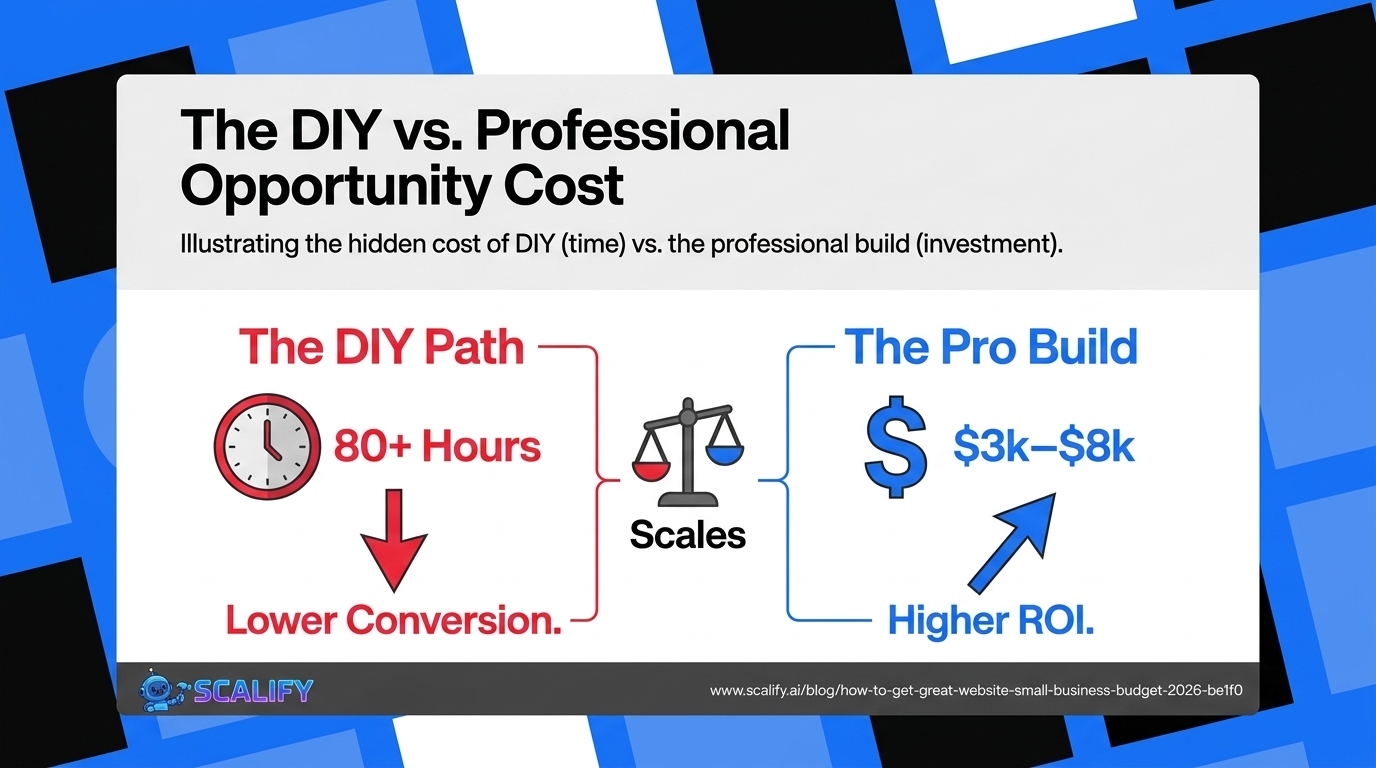
The DIY path is genuinely viable for businesses with very limited budgets and owners willing to invest significant time in learning platform capabilities. It's not viable when the owner's time has high opportunity cost — an attorney or accountant billing $300/hour spending 80 hours on a DIY website has spent $24,000 in time for a $500 website. The professional build at $5,000 would have been the better business decision by an enormous margin.
The Highest-ROI Small Business Website Investments
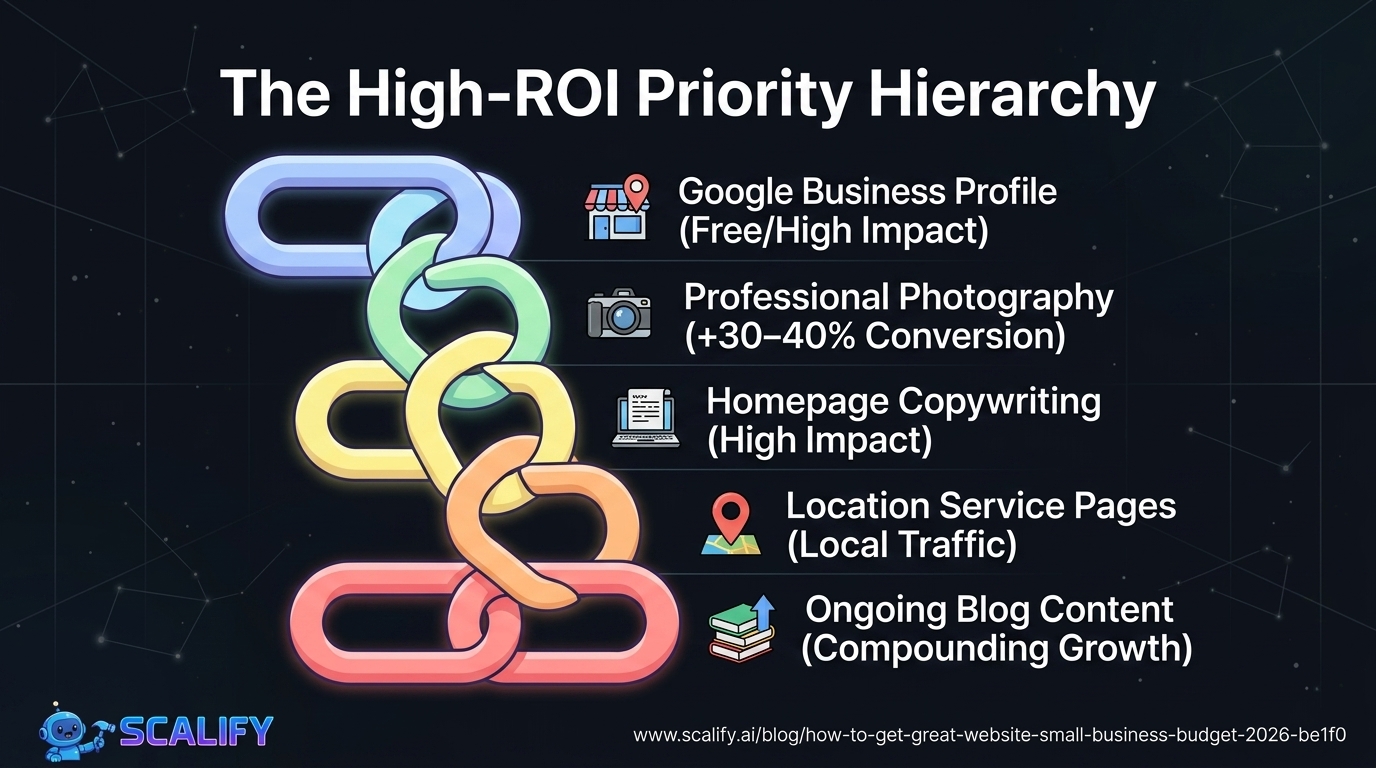
InvestmentApproximate CostExpected ROI ImpactPriorityGoogle Business Profile optimizationFree (time only)High — local Map Pack visibilityDo immediately, freeProfessional photography$500 – $1,50030–40% conversion improvementFirst paid investmentHomepage copywriting$500 – $1,500Significant — value proposition claritySecond paid investmentCore Web Vitals optimization$500 – $2,000Search ranking improvementIf currently failingLocation-specific service pages$300 – $800 per pageLocal organic trafficHigh for multi-location businessesBlog content (professional)$150 – $500 per articleCompounding organic traffic over timeAfter core site is solid
Managing a Small Business Website After Launch
The common mistake after a small business website launch is treating it as finished work rather than an ongoing business asset. The minimum viable website maintenance program for small businesses: update business information immediately when it changes (hours, address, services, team), add fresh content quarterly at minimum (a new blog post, a case study, updated photography), review Google Search Console and GA4 metrics monthly to identify declining pages or new ranking opportunities, and refresh imagery and testimonials annually. This maintenance investment typically requires 2–4 hours per month from a non-technical owner — modest for an asset that may be generating $5,000–$20,000+ monthly in new business.
The Bottom Line
A great small business website doesn't require a large budget — it requires smart allocation of whatever budget is available. Professional photography and homepage copywriting produce the largest per-dollar conversion improvements. A professional designer building on a quality platform delivers dramatically better results than an equivalent DIY effort. And the highest-ROI action for most local small businesses — Google Business Profile optimization — is completely free. The businesses that get the most from limited website budgets are those that prioritize conversion-critical investments over visual complexity, and that treat their website as a business asset requiring ongoing maintenance rather than a one-time project to complete and forget.
At Scalify, we build professional websites in 10 business days at prices designed for growing businesses — combining quality with the speed and efficiency that keeps the investment accessible for businesses that can't wait 6 months for a website.
Top 5 Sources
Content Strategy for Small Business Websites on a Budget
Content marketing — publishing blog articles, case studies, and educational resources — is the highest-ROI long-term marketing investment available to small businesses, but it's often the first thing cut from website budgets. The problem with that trade-off: without ongoing content, a small business website reaches its organic traffic ceiling within months of launch and stays there. The businesses that consistently outgrow their competitors in organic search are those that invest in content even when budgets are tight.
The practical solution for small businesses with limited content budgets is to prioritize writing content themselves on topics they know deeply, rather than hiring writers for general articles. A plumber writing about "how to prevent pipe freezing in Miami winters" has genuine expertise and local knowledge that no external writer can match. That specific, expert, local content is exactly what Google's E-E-A-T systems reward over generic content produced without real experience. The tools required: a free Ahrefs or Semrush account to identify the specific queries your customers search, Google Docs or Notion to write the articles, and your existing website's CMS to publish them. Cost: mostly your time.
Local SEO for Small Businesses: Free First Steps
The most impactful digital marketing investment for most local small businesses is completely free — Google Business Profile optimization. A fully optimized GBP with accurate information, high-quality photos, regular posts, and accumulated Google reviews is the primary driver of appearing in Google's Map Pack for local searches ("[service] near me," "[service] [city]"). Map Pack appearance generates more calls, visits, and web traffic than most small businesses get from organic website rankings — and the time investment is hours, not months.
Free local SEO actions that every small business should complete before investing in paid marketing:
These free local SEO actions often produce more visible business impact within 60 days than $5,000 in paid advertising — because local search intent is the highest-converting traffic available to service businesses, and local search results heavily reward the GBP quality signals these actions improve.
Choosing a Website Partner on a Small Budget
Small businesses seeking professional website builds on limited budgets face a specific challenge: many web design agencies are structured for larger projects ($15,000+) and are not well-suited for the rapid, efficient execution that small business budgets require. The types of web design providers best suited to small business budgets:
Independent Webflow or WordPress designers who specialize in small business websites are often the best value — they have lower overhead than agencies, deep platform expertise, and portfolios of similar-scale work. Finding these designers through Webflow Experts marketplace, Clutch, or industry-specific communities typically produces better results than large agency searches.
Specialized website services like Scalify that are designed specifically for efficient, professional website delivery at accessible prices — building on professional platforms with streamlined processes that compress delivery timeline and cost without sacrificing quality.
Freelancers with small business specialization — individual designers who specifically focus on small business websites, understand the constraints, and have processes optimized for this market segment. The key is finding those with genuine small business portfolios rather than generalists taking whatever work comes.
Building Incrementally: The Phase Approach
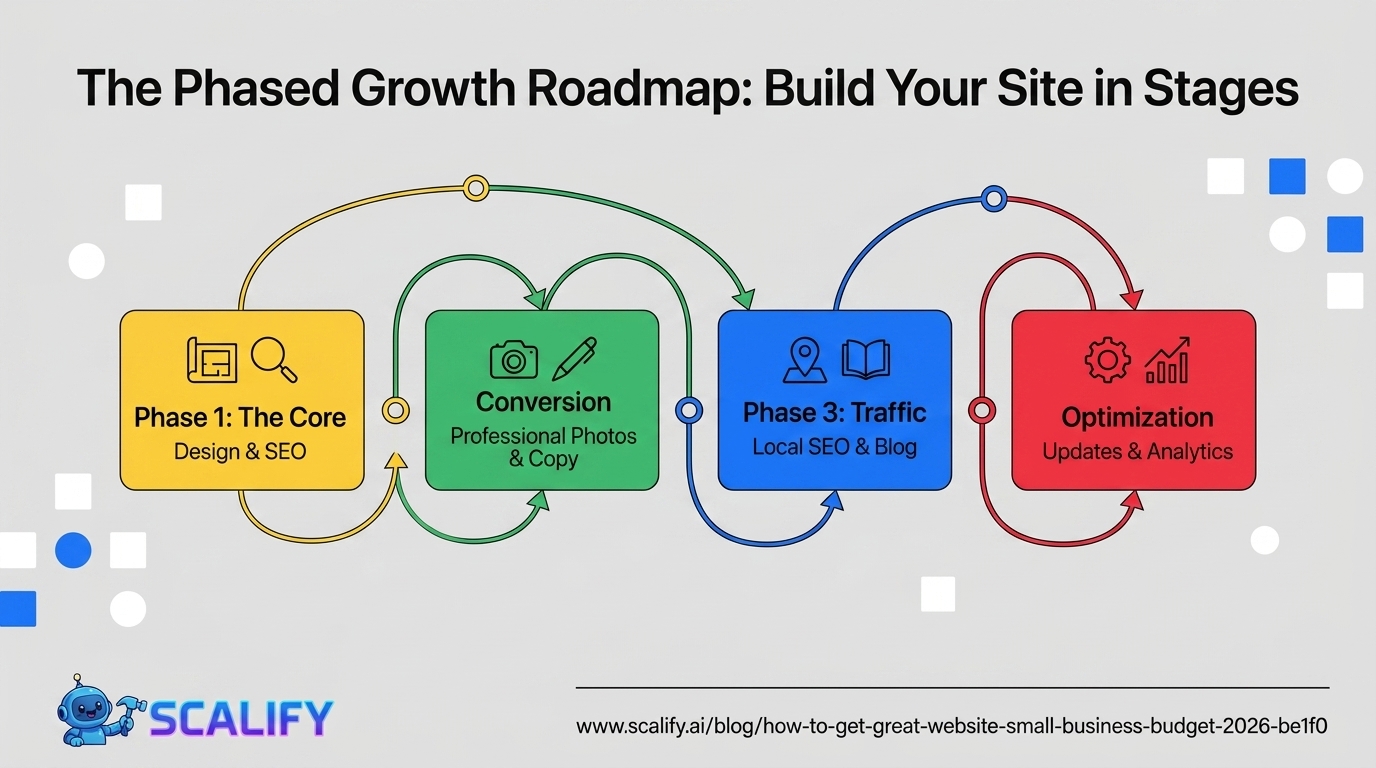
Most small businesses don't need to build their ideal website in one investment — they can build it incrementally over time, starting with the most commercially critical elements and adding to the foundation as revenue grows. A practical phased approach:
Phase 1 ($2,000–$4,000): Core website with professional design, homepage, services pages, contact form, SEO technical setup, and mobile optimization. Gets the business online professionally and SEO-ready.
Phase 2 ($500–$2,000, 3–6 months after launch): Professional photography and homepage copywriting. The two additions most likely to improve conversion rate on an existing professional site.
Phase 3 ($500–$1,500, 6–12 months after launch): Blog setup with 5 articles targeting local SEO keywords. Begins the content marketing that builds organic traffic over time.
Phase 4 (ongoing): Regular content addition, testimonial updates, seasonal offers, and periodic conversion optimization based on analytics data. This ongoing maintenance is what turns a good website into a great business asset over 2–3 years.
This phased approach spreads investment over the period when the website is producing revenue to fund those improvements — making each phase affordable and each investment more confidently allocated based on the first phase's performance data.






























































.jpeg)

.jpeg)


































78 SW 7th St, Miami, FL 33130


