

.jpeg)
Technical SEO for Websites: The Complete 2026 Guide
By Josh Ternyak

April 18, 2026
Comprehensive 2026 guide: Technical SEO for Websites: The Complete 2026 Guide
What Is Technical SEO and Why Does It Matter?
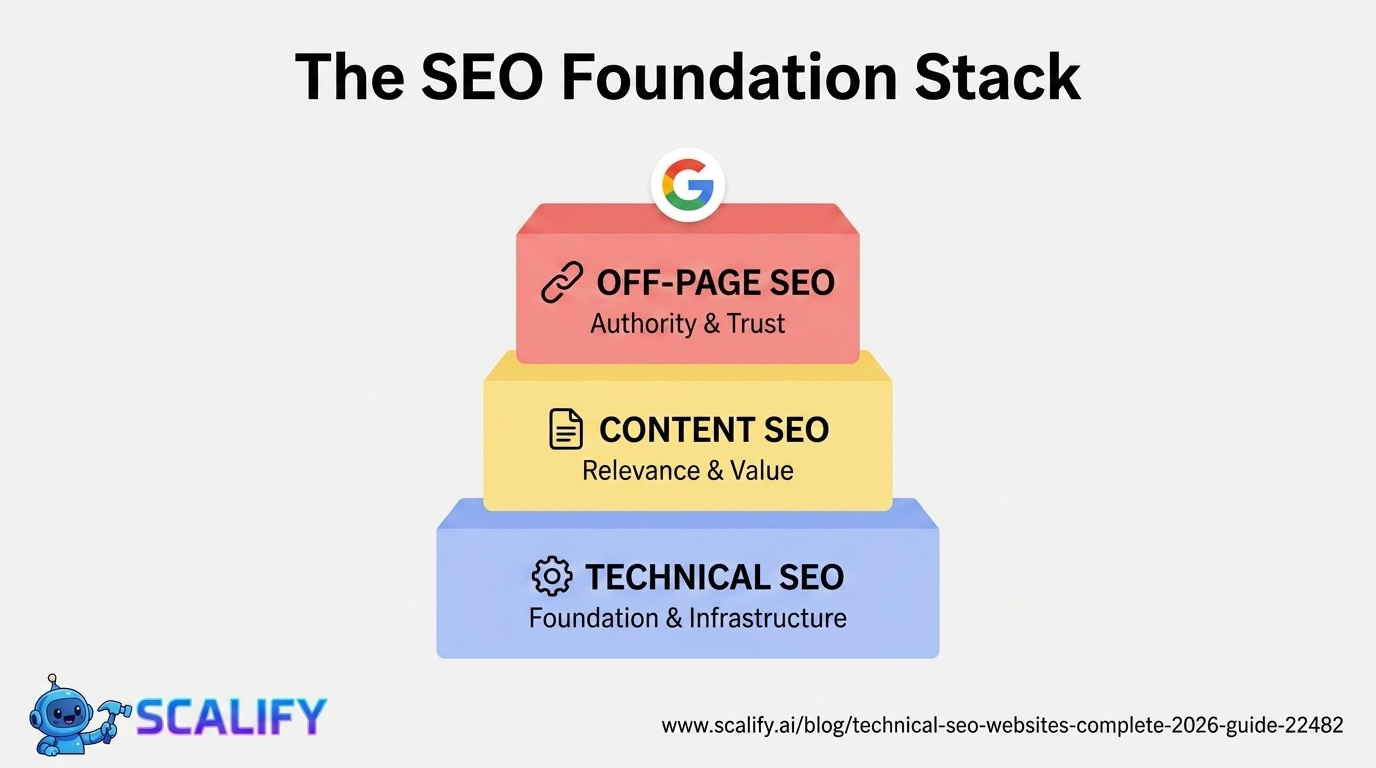
Technical SEO refers to the optimizations made to a website's infrastructure, code, and architecture that help search engines crawl, index, and rank it effectively. Unlike content SEO (which focuses on what you say) or link building (which focuses on who links to you), technical SEO focuses on whether search engines can access, understand, and serve your content in the first place.
A website with exceptional content and strong backlinks can still rank poorly if it has significant technical issues — crawl errors that prevent Google from accessing pages, Core Web Vitals failures that cause ranking demotions, duplicate content issues that split ranking signals, or schema markup gaps that reduce click-through rates. Technical SEO creates the foundation that all other SEO investment builds on.
Key Technical SEO Statistics
Core Web Vitals: Google's Performance Ranking Signals
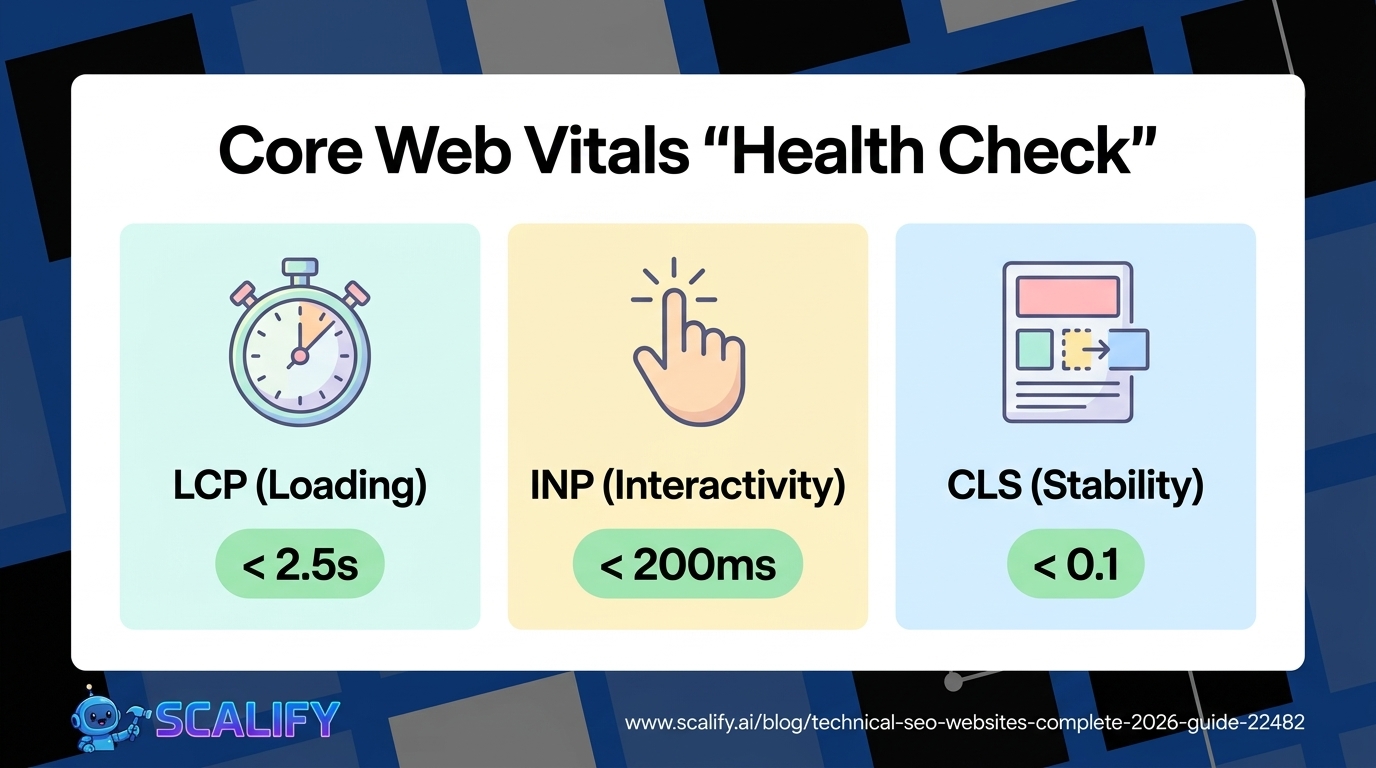
Core Web Vitals are the most important technical SEO factor introduced in the past five years. Google uses these three metrics as ranking signals — pages that fail thresholds are actively demoted in favor of pages that pass.
MetricWhat It MeasuresGoodNeeds ImprovementPoorLCP (Largest Contentful Paint)How fast the main content loadsUnder 2.5 sec2.5 – 4.0 secOver 4.0 secINP (Interaction to Next Paint)Page responsiveness to user inputUnder 200ms200 – 500msOver 500msCLS (Cumulative Layout Shift)Visual stability (unexpected shifts)Under 0.10.1 – 0.25Over 0.25
How to check your Core Web Vitals: Google Search Console → Core Web Vitals report (real-world data). PageSpeed Insights (pagespeed.web.dev) for per-URL analysis. Lighthouse in Chrome DevTools for local testing.
Common LCP fixes: Optimize and lazy-load images, use a CDN, eliminate render-blocking resources, improve server response time (switch to better hosting), preload critical resources.
Common CLS fixes: Always specify width and height attributes on images and video elements, avoid inserting content above existing content, use CSS transform animations instead of layout-triggering properties.
Crawlability: Can Google Access Your Pages?
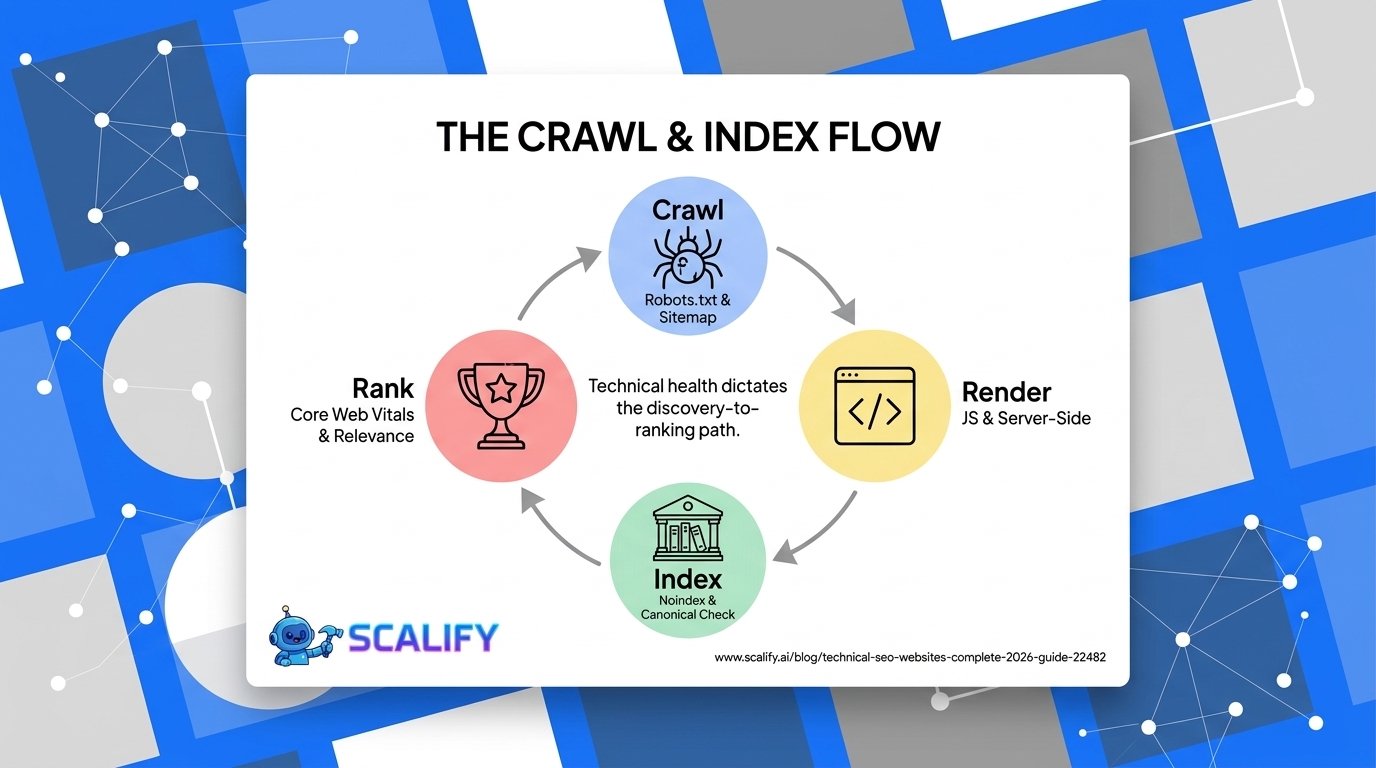
Crawlability IssueHow to Find ItHow to Fix Itrobots.txt blocking important pagesCheck yoursite.com/robots.txtRemove Disallow rules for pages that should be indexedNoindex tags on pages that should rankSearch Console → Coverage → ExcludedRemove meta robots noindex from pages that should be indexedCrawl errors (404s)Search Console → Pages → Not found (404)Fix broken links, implement 301 redirects for moved contentRedirect chains (A→B→C→D)Screaming Frog → RedirectsUpdate links to point directly to final destinationOrphan pages (no internal links)Screaming Frog all_pages vs sitemap comparisonAdd internal links from related pages to orphan pagesJavaScript-rendered content not indexedGoogle Search Console URL Inspection → Live testServer-side rendering (SSR) or ensure Googlebot can render JS
Site Architecture: Structure That Helps Search Engines and Users
Site architecture refers to how pages are organized and linked together. Good architecture makes it easy for search engines to understand what pages exist, what they're about, and how they relate to each other — while also making navigation logical for users.
Architecture PrincipleBest PracticeCommon MistakeCrawl depthAll important pages reachable within 3 clicks from homepageImportant pages buried 5+ levels deepURL structureShort, descriptive, keyword-including URLsDynamic parameters (?id=123), dates in URLs for evergreen contentInternal linkingRelated pages link to each other with descriptive anchor textNavigation-only linking, no contextual internal linksCategory / taxonomyClear hierarchy (category → subcategory → post)Flat architecture with no hierarchy for large sitesDuplicate content preventionCanonical tags on all pages, consistent URL formatwww vs. non-www, http vs. https both accessible without redirect
XML Sitemaps: Helping Google Find Your Pages
An XML sitemap is a file that lists all the URLs on your website you want Google to crawl and index. It's not a guarantee that Google will index every URL in your sitemap — but it significantly accelerates discovery and indexation of new content.
Best practices for XML sitemaps:
HTTPS and SSL: Non-Negotiable Security and SEO Foundation
HTTPS IssueImpactFixSite still on HTTPRanking disadvantage, browser security warnings, user trust damageInstall SSL certificate, redirect all HTTP to HTTPSMixed content (HTTP resources on HTTPS page)Browser warnings, partial security benefit onlyUpdate all resource URLs to HTTPS (images, scripts, stylesheets)Expired SSL certificateSite inaccessible, immediate traffic lossRenew certificate, set up auto-renewalWrong certificate (domain mismatch)Browser warningsEnsure certificate covers all subdomains used (www and non-www)
Mobile Optimization: First-Priority with Mobile-First Indexing
Google's mobile-first indexing means it primarily uses the mobile version of a website to determine rankings. A site that's excellent on desktop but poor on mobile is ranked based on its mobile experience — making mobile optimization a direct ranking factor, not just a UX consideration.
Mobile SEO IssueHow to CheckFixNot mobile responsiveGoogle's Mobile-Friendly Test toolRebuild with responsive design (non-negotiable)Text too small to readMobile-Friendly Test, manual review on phoneMinimum 16px base font sizeClickable elements too closePageSpeed Insights — Tap TargetsMinimum 48px tap target size, 8px spacing between targetsContent different on mobile vs desktopCompare mobile and desktop versions manuallyEnsure critical content appears on mobile versionIntrusive interstitials on mobileManual review on mobileRemove full-screen pop-ups on mobile entry (Google penalty risk)
Structured Data (Schema Markup): Rich Results and CTR Improvement
Structured data uses a standardized vocabulary (Schema.org) to tell search engines explicitly what your content means — not just what it says. This enables rich results in Google search: star ratings, FAQ accordions, how-to steps, event dates, product prices, and more.
Schema TypeRich Result EnabledBest ForCTR ImpactLocalBusinessKnowledge panel, map pack infoLocal service businessesHighReview / AggregateRatingStar ratings in search resultsProducts, services, businesses+20 – 30% CTRFAQPageExpandable FAQ accordion in resultsFAQ pages, any content with Q&A+20 – 30% CTRHowToStep-by-step display in resultsTutorial contentSignificant for eligible queriesProductPrice, availability, rating in resultsE-commerce product pages+15 – 25% CTRArticle / BlogPostingByline, date, breadcrumbsBlog contentModerateBreadcrumbListBreadcrumb navigation in URL displayAll structured sites+5 – 10% CTR
How to implement schema: JSON-LD format (recommended by Google) added to page HTML. Use Google's Rich Results Test (search.google.com/test/rich-results) to validate markup before and after implementation. Most SEO plugins (Yoast, RankMath) generate basic schema automatically.
Duplicate Content: Protecting Your Ranking Signals
Duplicate content occurs when the same or very similar content appears at multiple URLs. This splits ranking signals (links, engagement) between versions rather than consolidating them, and can confuse search engines about which version to rank.
Duplicate Content SourceHow to Fixwww vs. non-www both accessiblePick one, 301 redirect the other, add canonical tagsHTTP and HTTPS both accessible301 redirect HTTP to HTTPS universallyTrailing slash variations (/page vs /page/)Pick one format, redirect the other, canonical tagsURL parameters (?sort=price, ?color=red)Canonical tags on parameter URLs pointing to clean URLPaginated content (/page/2, /page/3)Self-referencing canonicals, rel="next/prev" if appropriatePrint-friendly page versionsCanonical pointing to main pageCopied/scraped content from other sitesDon't — original content only
Page Speed Optimization: The Technical Foundation
Speed FactorImpactFix PriorityImage optimization (compression, WebP)Often 40–70% of page sizeVery HighLazy loading images below foldReduces initial load payloadHighBrowser caching configurationSpeeds up repeat visitsHighCDN (Content Delivery Network)Reduces latency by geographyHigh for global audiencesMinified CSS and JavaScriptReduces file sizes 20–40%MediumEliminated render-blocking resourcesFaster initial renderMedium-HighServer response time (TTFB under 200ms)Foundation of all performanceHigh — address with better hostingThird-party script auditEach external script adds latencyMedium — remove unused scripts
Technical SEO Audit: Where to Start
A technical SEO audit begins with the free tools Google provides — no paid tools required for identifying the highest-priority issues:
Work through the issues in priority order: security issues and manual actions first, crawlability and indexation second, Core Web Vitals third, structured data and meta tag optimization fourth.
The Bottom Line
Technical SEO is the unglamorous but essential foundation of search visibility. Content quality and backlinks get the spotlight, but 48% of websites have crawlability issues, 25% of URLs fail Core Web Vitals, and 29% have duplicate content problems that actively undermine the performance of all other SEO investment. The good news: most technical SEO issues are fixable, many fixes are permanent improvements that compound over time, and Google provides the tools to identify and prioritize them for free. Start with Search Console, fix the highest-priority errors first, and treat technical SEO as ongoing infrastructure maintenance rather than a one-time project.
At Scalify, every website we build includes proper technical SEO foundations from day one — clean URL structure, schema markup, Core Web Vitals optimization, mobile-first design, and a sitemap setup that gets new content indexed efficiently.
Top 5 Sources
Key Takeaways and Next Steps
The principles and data in this guide reflect what actually works in professional web development and digital marketing in 2026 — not theoretical best practices but measured, documented outcomes from implementations at scale. The gap between knowing these principles and benefiting from them is always execution: the businesses that act on what they read, implement changes systematically, and measure the results consistently outperform those who consume information without converting it to action.
For any improvement described in this guide, the implementation sequence that produces the best outcomes: assess your current situation against the benchmarks provided, identify the 2–3 highest-impact improvements specific to your situation, implement them with measurement tracking in place, evaluate results after 30–60 days, and plan the next iteration based on what you learned. This cycle — assess, prioritize, implement, measure, iterate — is the operational foundation of continuous improvement that compounds into significant competitive advantage over the 12–24 month horizon.
The compounding returns from consistent web presence investment are not linear: a website that improves slightly each month accumulates to dramatic improvements over a year, and those improvements multiply with each other. Faster load times improve both search rankings and conversion rates simultaneously. Better content attracts backlinks that improve rankings that attract more traffic. More testimonials build trust that improves conversion rates that improve revenue that funds more investment. The interconnected nature of website performance means that each improvement amplifies the value of every other improvement — making the decision to invest consistently, across multiple dimensions simultaneously, the highest-ROI approach to digital marketing available to most businesses.
At Scalify, every website we build reflects these principles — technically optimized, conversion-focused, SEO-ready, and designed to compound in value over time as content, backlinks, and organic authority accumulate on the strong foundation we deliver in 10 business days.
































































.jpeg)


































78 SW 7th St, Miami, FL 33130


